Single 3D model
A 3D model (in the glTF) or glb format, can be loaded and displayed through the single model layer. The model can be placed on the surface of the planet by giving it longitude, latitude, and altitude values. The model can also be offset from its origin, scaled and rotated.
Because there are competing conventions for which axis is up, and how the axes are oriented one to another, the frame property structure is needed in order to have the model be properly oriented.
Some glTF extensions are supported:
KHR_draco_mesh_compressionfor meshes that are compressed using the Draco library,EXT_texture_webpfor texture files encoded in the WebP format,KHR_texture_basisufor texture files encoded in the KTX 2.0 format with Basis Universal supercompressed data,KHR_materials_variantsfor defining multiple materials in a glTF asset, and switching between them at runtime,KHR_materials_unlitfor disabling the shading of materials in a glTF asset.SIRADEL_templated_image_urlfor referencing textures produced after the glTF asset has been produced using templated URLs,SIRADEL_data_texturefor displaying textures containing arbitrary scalar data using a user-defined palette.CESIUM_RTCfor placing the model at specific ECEF coordinates. Note that this extension should not be used in new datasets and is only supported for compatibility. Instead:- In 3D Tiles Batched 3D Model files, use the
RTC_CENTERvalue. - For glTF files, use a root transform.
- In 3D Tiles Batched 3D Model files, use the
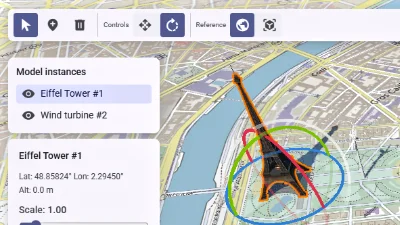
Scene editor
Go to gallery demo
Animations
A glTF file can contain animations. Horizon can play translation, rotation, and scale animations (but not skeletal or morph animations). Moreover, those files can contain multiple animations. Horizon can play all of them at once, or only a subset selected through the scene model. Note that some animations are incompatible with one another, Horizon does not attempt to detect incompatible animations, and it is up to the integrating application to properly select which animations should play.
See the documentation for the animation field of SingleModelLayer.
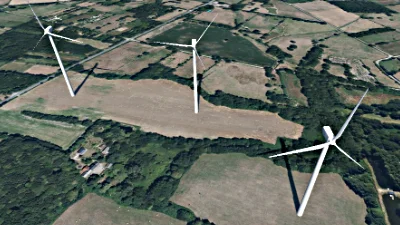
Model animations
Go to gallery demo