Translating Mapbox scenes
Horizon provides limited support for Mapbox styles, using the Mapbox service. It is able to parse a subset of the Mapbox style specification as a JSON string, create the corresponding layers and adjust the scene settings to replicate the intended behaviour on a best effort basis.
Support for this feature will remain restricted to a subset of properties corresponding to the ones that have equivalents in the Horizon scene model.
Mapbox styles also define the data sources used by the scene, which is why we may also call them “Mapbox scenes”.
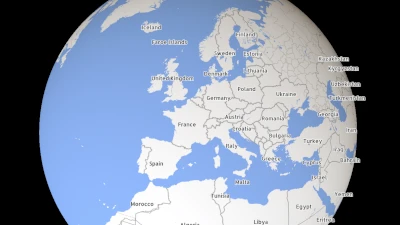
Loading a Mapbox scene
Go to gallery demo
Special properties
There are situations where the Mapbox style spec doesn’t provide all the information required by Horizon to setup a scene. Special Horizon-exclusive properties should be added to the metadata property of a Mapbox style to properly handle such situations.
hrz:fonts
The issue
The glyphs root property is not supported. Horizon requires fonts to be provided as TrueType files.
The solution
Using the special hrz:fonts property, font family names can be mapped to URLs pointing towards usable font files.
It should be located within the style’s metadata root property.
It should be an object that, for each font used within the style, contains a string property named after the font family name (as referenced on the text-font property) whose value is a URL to a TrueType font file.
It should look like this:
{
    "version": 8,
    "metadata": {
        "hrz:fonts": {
            "font-1": "https://path/to/font-1.ttf",
            "font-2": "https://path/to/font-2.ttf",
        }
    },
    //...
}
Supported properties
Root properties
Supported properties are: version, name, center, bearing, pitch, zoom, sources and layers.
Zoom property
The zoom property corresponds to a zoom level. Horizon, being three dimensional, can only approximate the initial position of the camera to try to match the initial Mapbox view.
Source properties
Supported type values are: raster, vector and geojson.
raster source
Supported properties are: bounds, maxzoom, minzoom, tiles, tileSize and url.
url can be prefixed by pmtiles:// to indicate that this is a PMTiles provider, as opposed to a TileJSON provider otherwise.
TileJSON & PMTiles sources
For these sources, the
minzoomandmaxzoomparameters are ignored.
vector source
Supported properties are: bounds, maxzoom, minzoom, tiles and url.
url can be prefixed by pmtiles:// to indicate that this is a PMTiles provider, as opposed to a TileJSON provider otherwise.
TileJSON & PMTiles sources
For these sources, the geometry parameters (
bounds,minzoom, andmaxzoom) are ignored.
geojson source
GeoJSON sources are converted into an untiled vector data provider.
The only supported property is data. data doesn’t accept inline GeoJSON and can only refer to an external GeoJSON document.
Layer properties
Supported layer properties are: id, type, source, source-layer, minzoom, maxzoom, and filter.
The supported values for the type property are: background, fill, line, raster, circle, fill-extrusion, heatmap, and symbol.
background layer
Their background-color paint property is assigned to the scene views’ TerrainSettings. If there are multiple background layers, the color of the last one is used, as it is supposed to be rendered above the others. If the layer’s visibility layout property is set to "none", then the layer is ignored.
Expressions are not supported for properties of this layer yet.
fill layer
This layer is converted into a flat overlay vector representation.
- Supported
paintproperties:fill-color,fill-opacity,fill-outline-color - Partially supported
paintproperties:fill-antialias: Horizon flat polygons are never anti-aliased. This property is read to know whether outlines should be drawn. Outlines are never drawn when this property isfalse.fill-pattern: This property isn’t supported but it is read to know whether polygon outlines should be drawn. Outlines are never drawn when this property is present in the Mapbox style.
line layer
This layer is converted into a flat overlay vector representation.
- Supported
paintproperties:line-color,line-dasharray,line-opacity,line-width. - Partially supported
paintproperties:line-cap: The “square” line ending falls back to “butt”. “round” is supported.
raster layer
This layer is converted into an imagery raster layer.
- Supported
paintproperties:raster-opacity,raster-resampling. - Supported
layoutproperty:visibility.
circle layer
This layer is converted into a symbol vector representation.
- Supported
paintproperties:circle-color,circle-opacity,circle-pitch-alignment,circle-radius,circle-stroke-color,circle-stroke-opacity,circle-stroke-width,circle-translate,circle-translate-anchor.
fill-extrusion layer
This layer is converted into an extruded geometry vector representation.
- Supported
paintproperties:fill-extrusion-color,fill-extrusion-opacity,fill-extrusion-vertical-gradient,fill-extrusion-height.
heatmap layer
This layer is converted into a heatmap vector representation.
- Supported
paintproperties:heatmap-weight,heatmap-intensity,heatmap-color,heatmap-radius,heatmap-opacity.
symbol layer
This layer is converted into a symbol vector representation.
- Supported
paintproperties:icon-opacity,icon-translate,icon-translate-anchortext-color,text-halo-color,text-halo-width,text-opacity,text-translate,text-translate-anchor.
- Supported
layoutproperties:icon-allow-overlap,icon-anchor,icon-ignore-placement,icon-image,icon-keep-upright,icon-offset,icon-optional,icon-padding,icon-pitch-alignment,icon-rotate,icon-rotation-alignment,icon-size,icon-text-fit,icon-text-fit-padding,symbol-placement,symbol-sort-keytext-allow-overlap,text-anchor,text-field,text-font,text-ignore-placement,text-justify,text-keep-upright,text-line-height,text-offset,text-optional,text-padding,text-pitch-alignment,text-rotate,text-rotation-alignment,text-size.
Text fonts
The
glyphsroot property is not supported. A specialhrz:fontsproperty should be added to the style’s rootmetadataproperty to correctly handle fonts.
Font stacks
Font stacks are not supported in Horizon, so the font used will be the first family specified in
text-fontthat has been mapped to a URL with thehrz:fontmetadata property.
Symbol sort keys
The
symbol-sort-keyproperty support only applies to symbols that go through the culling process (which is symbols that have their*-allow-overlapproperty set tofalse). Symbols that are allowed to overlap other symbols are drawn in the “natural 3D” order: the ones closer to the camera will appear above the ones that are further away.
Expressions
The translation tool supports some of the functionalities of the Mapbox expression language. Per category, the supported operators are:
Lookup
getin- Support is limited to exact comparisons, and the presence of a substring within other strings is not checked.
- The types of the values used in this operator should be inferrable and homogeneous. Trying to compare against values of different types will log an error, but will still compare against the other values of the same type.
Conditionals
!,!=,<,<=,==,>,>=,all,anycase,match
Math
Supported operators : min, max, +, -, *, /, %, abs. Their variadic forms are supported.
Interpolation
-
interpolate: Limited support is offered. Only linear interpolation is supported (other modes fallback to linear). Non-colour interpolations only support two stops. Colour interpolations are turned into palettes. Using the zoom level as input is not supported. -
interpolate-hcl,interpolate-lab: Same limitations asinterpolateapply. Colours are interpolated in the Oklab colour space. -
step: Only supported for colours. Using the zoom level as input is not supported.
Types
literal: Within expressions, arrays must be encapsulated in theliteraloperator. Otherwise, array literals can be directly provided for array-type properties without the need for this operator.format,to_string- Note that those expressions are only supported for specific properties of the “formatted” type, such as the
symbollayer’stext-fieldproperty. formatcan only accept 3 non-literal operands. If it contains more, the string will be clipped upon reaching the 4th non-literal operand.
- Note that those expressions are only supported for specific properties of the “formatted” type, such as the