Client-provided asset data
Similarly to vector data, it is possible to use client-provided data for any request Horizon does.
The client will be asked to provide data for any URL using the client: scheme (such as client:/model.gltf): an AssetRequestMessage will be sent to the client through the message queue instead, which contains:
- the URL (stripped from its
client:prefix), - a unique ticket identifying the request,
- and the desired byte range (start and size are
0if the request is for the whole file).
That request should be answered using the ProvideAssetData method of ClientDataService. The response must contain the request’s unique ticket for identification, with the contents of the file designated by the URL (or a subset of it if a range has been given). Additionally the kind of data the file contains can be communicated by including the MIME type of the file, such as image/png. This is notably important for 3D Tiles, as the specification relies on MIME types.
Possible use cases include:
- Loading data from a source that Horizon doesn’t support natively, such as the filesystem, a database, etc.
- Implementing support for a format that Horizon doesn’t support natively, by converting the source data to a supported format on the client side before providing it to Horizon.
- Generating data on the fly on the client side, such as procedural content, or dynamically modifying existing data before providing it to Horizon.
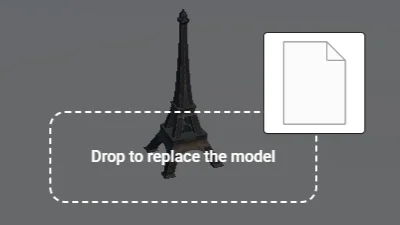
Local assets
Go to gallery demo
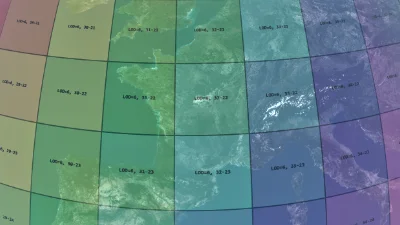
Procedural raster tiles
Go to gallery demo
About client URLs
Any URL starting with client: will go through that process. Since the client is responsible for getting and communicating the data, the given path ultimately only has to be understandable by the client.
However, if additional files are required after loading a client asset (like a glTF file requiring the loading of image textures), client request messages will also be sent for them as well. In this case, Horizon tries to use the URL of the original file as a reference for the URL of the additional file. As such, it is in the client’s best interest to use well-formed URLs.
One important detail in that regard is the amount of slashes that follow the client: scheme. As per the URI generic syntax RFC, using two slashes // indicate that the following string should be parsed as the authority, and not as a path, which can lead to requests with unexpected URLs if unaware.
The following table summarizes what URL can be expected to be returned, in the case of a client provided model.gltf file requiring an external texture.png:
Client provided model.gltf URL |
Deduced texture.png request URL |
Reason |
|---|---|---|
client:model.gltf |
client:texture.png |
No authority, empty parent path |
client:path/model.gltf |
client:path/texture.png |
No authority, non-empty parent path (path/) |
client:/model.gltf |
client:/texture.png |
No authority, non-empty parent path (/) |
client://model.gltf |
client://model.gltf/texture.png |
model.gltf authority, empty parent path |
client:///model.gltf |
client:///texture.png |
Empty authority, non-empty parent path (/) |
Be careful not to accidentally introduce authorities in URLs with the use of double-slashes. As such, unless an authority is required (for example if actual URLs are intercepted by the client), it is recommended to use URLs in the style of client:model.gltf or client:/model.gltf. (Paths can of course comprise deeper hierarchies, such as client:/path/to/model.gltf.)
None of this means that you cannot use authorities if they are actually needed, but it is important to be aware of how URLs will be parsed by Horizon to avoid unexpected results. For instance, they could be used to provide some identifier the client can use to locate an asset, such as client://my-model.gltf-models.my-project/model.gltf, which would lead to requests for additional files to be in the form of client://my-model.gltf-models.my-project/texture.png for texture.png.