Image formats
Image file formats
Common formats
Horizon supports image contained in PNG, JPEG, WebP and non animated GIF files, without any additional information.
Raw formats
Some images might be served as raw values. In this case, it is not possible for Horizon to know how to decode the image. Instead the mime_type_override field on the raster provider can be used with the custom image/x.raw MIME type and its associated parameters.
width,height- Positive integer, mandatory.
channels- Positive integer.
- Defaults to 1.
bit_width- Bit width of the data type for one pixel of one channel.
- Positive integer, multiple of 8.
- Default to 8.
- Possible values: 8, 16, 32.
interleaving- Dictates how the channels are interleaved.
- Defaults to
pixel. - Possible values:
pixel,line,none.
endian- Endianness of encoded values.
- Default to
little. - Possible values:
big,little.
Example: image/x.raw; width=256; height=256; channels=3; bit_width=8; interleaving=pixel; endian=little.
The size of a pixel (channels x bit_width) must match the size of the chosen ImageFormat. When loading the image, it will be reordered such as to match interleaving by pixel, and each pixel value will then be reinterpreted as the ImageFormat type.
An exception is made when the ImageFormat is SRGBA_8, bit_width is 8, and channels is 3: despite being 24bit, this format is accepted, and the alpha channel is considered fully opaque.
pixel interleaving
RGB RGB RGB RGB
RGB RGB RGB RGB
RGB RGB RGB RGB
line interleaving
RRRR
GGGG
BBBB

RRRR
GGGG
BBBB

RRRR
GGGG
BBBB
none interleaving
RRRR
RRRR
RRRR

GGGG
GGGG
GGGG

BBBB
BBBB
BBBB
BIL, BIP, and BSQ
These formats are raw, normally served alongside a header file containing information on how to decode them. Since some providers don’t provide this header file, and the MIME type is not enough to describe the data inside (or often just wrong), Horizon can only use these images using the MIME type override image/x.raw described above.
- BIL corresponds to interleaving
line. - BIP corresponds to interleaving
pixel. - BSQ corresponds to interleaving
none.
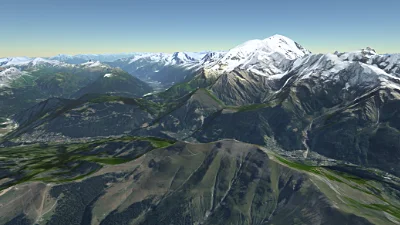
IGN SRTM DTM
Go to gallery demo
Colour and scalar formats
Images can contain a variety of data types. These affect both what kind of data is stored for each pixel of an image, as well as precisely how that data is encoded. Image formats join these two concepts into one.
There are two families of image formats, one for images containing colours, and the other one for images containing scalar values (i.e. numbers).
Colour formats
Only one format is supported for rasters containing colours: SRGBA_8. This is the most commonly-used pixel format for imagery and is what is usually contained in PNG, JPEG, or WebP files.
Scalar formats
Multiple image formats are supported. They are all stored in file formats that have been designed for colours, so each format consists in storing a numerical value in the RGBA channels of the image. The formats are:
SIGNED_FIXED_24_8: Each RGBA pixel is interpreted as a single 32-bit signed integer, whose value is the elevation above (or below if negative) sea level in 256ths of a metre.R_F32: Each RGBA pixel is interpreted as a 32-bit IEEE 754 single-precision floating-point number.SIRADEL_LEGACY_F32: Each RGBA pixel contains a 32-bit single-precision floating-point number, but with a bit layout that differs from IEEE 754. The exponent bits are shifted once to the left, so that they constitute the eight most significant bits. The sign bit is shifted eight times to the right.TERRARIUM: Each RGB pixel contains a 24-bit signed fixed point value. 16 bits are used for the integral part (ranging from -32,768 to 32,768) and 8 bits for the fractional part (increments of 256ths). The formula to decode a value is(red * 256 + green + blue / 256) - 32768. See Mapzen’s documentation.TERRAIN_RGB: Each RGB pixel contains a 24-bit unsigned integer, which is scaled and shifted down to obtain a value in metres, with a 0.1 m precision. The lowest value is -10,000 m. The formula to decode a value is(red * 256 * 256 + green * 256 + blue) * 0.1 - 10000. See Mapbox’s documentation.
Bit layouts for floating-points formats
Format Bit layout IEEE 754 seeeeeee efffffff ffffffff ffffffffSIRADEL_LEGACY_F32eeeeeeee sfffffff ffffffff ffffffffColour channels aaaaaaaa bbbbbbbb gggggggg rrrrrrrr
s: sign bite: exponentf: fractionr: red channelg: green channelb: blue channela: alpha channel
Be careful when encoding images
- Because the actual data is not colours, premultiplication of the alpha channel must not be performed.
- When storing a 32-bit value into four 8-bit channels, the order of the channels is RGBA, with R containing the least significant bits, and A the most significant bits. (Or in other words, 32-bit values must use little-endian byte order.)
- Only lossless image formats can be used. In practice this means PNG, lossless WebP, or raw images. (Lossy formats discard bits of data based on visual perception. This process corrupts scalar values stored in colour channels.)
Nodata
By virtue of being rasters, images contain a value for every pixel. However some datasets may not have data values measured or computed for every pixel position. To express this, a value is arbitrarily chosen in the domain of all values to signify that no actual data is present. Every pixel whose position does not have data contains this value: the nodata value. (The value is usually chosen outside of the range of acceptable values for the dataset.)
Every provider for which a nodata value is relevant has a property to configure it. The value can be expressed either directly in the domain of the image format (for example a specific colour or number) or as a bit pattern.
Using a regular value is more user friendly but sometimes it can be difficult to precisely express the value. For example if the value is a floating-point number and the layer configuration goes through multiple serialisation formats, including text-based formats such as JSON, one number given at the beginning of the system can become slightly different once given to Horizon.
To avoid potential problems with this, the nodata value can be directly expressed as a bit pattern. A pattern represents the precise sequence of bits that must be matched for a value to be nodata. The sequence must be as long as the value of one pixel in the images. Horizon accepts bit patterns as little-endian unsigned integers.
Bit patterns
Some datasets may for example use the largest value that can be expressed with a single-precision floating-point number, which is about 3.4028234664 × 1038 to express the absence of data. Because it is a large value, if stored as a floating-point number some precision could be lost before reaching Horizon. In this case the nodata values would not match and very large numerical values would be shown as actual data.
The binary representation of this number is
01111111 01111111 11111111 11111111(or7f 7f ff ffwhen each byte is expressed as a base-16 number). The unsigned integer with the same bit representation is 2,139,095,039. This number value can be used with the bit pattern nodata type to ensure the correct floating-point values are matched.